Welcome! This quick guide walks you through registering your Courie account and setting a password, so you’re ready to start using the portal with confidence.
1
Open your portal link
Go to the link your Courier provider shared. The web address starts with portal.courie.ai.
Bookmark this page for fast access later.
2
Select “Sign in with email”
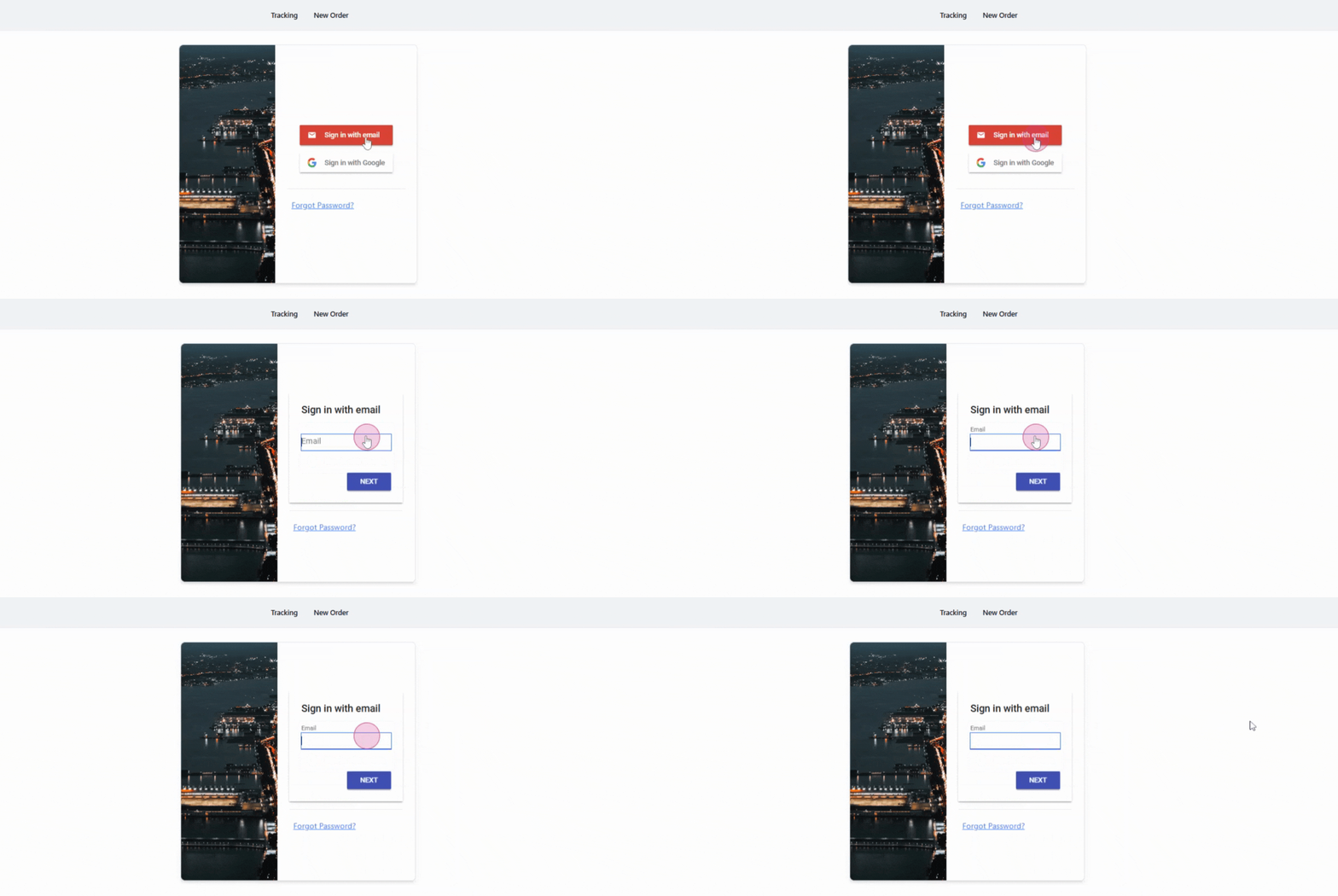
On the welcome screen, choose Sign in with email to begin.
3
Enter your email address
Type your email address in the field provided.

4
Add your name
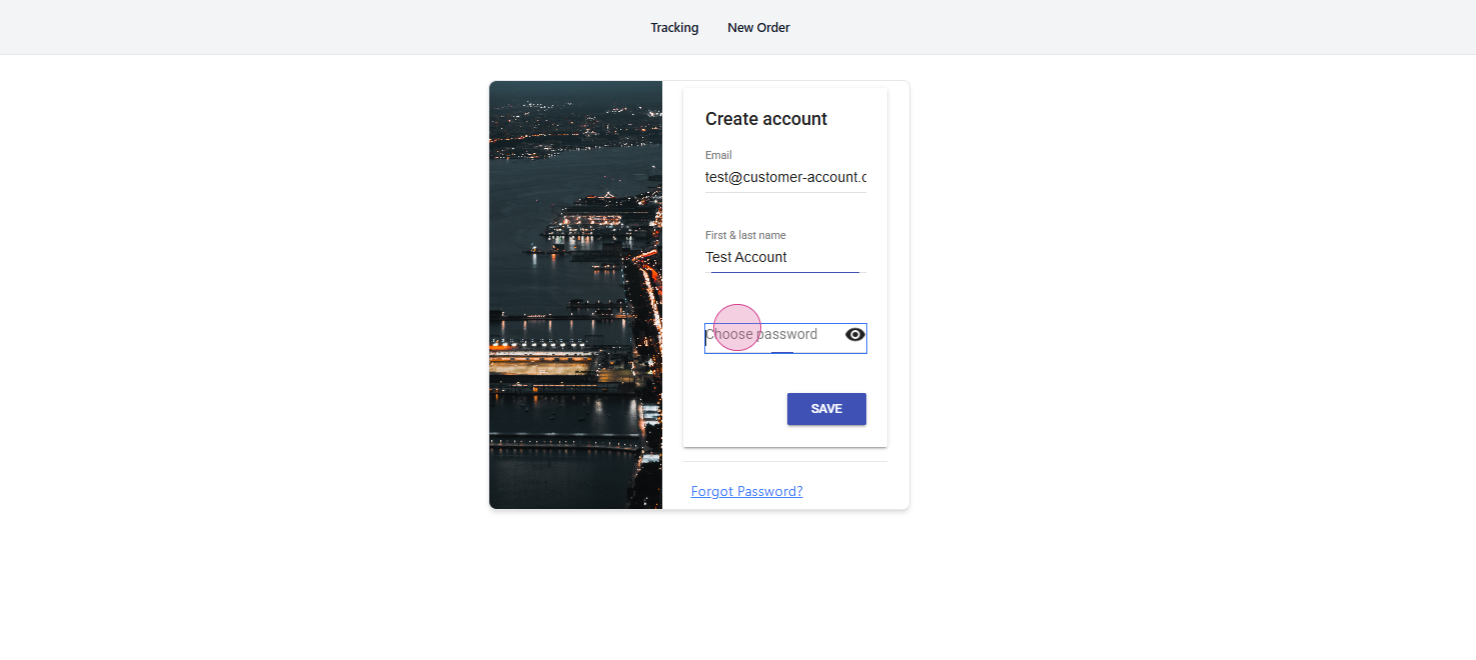
After entering your email address, click the Next button. You’ll then be prompted to provide your first and last names.

5
Create a password
Create a strong password for your account.
6
Review and save
Double-check the information entered, then hit Save.

You’re all set! 🎉
Your account registration is complete. Log in any time at your bookmarked page to continue.